
 by
by 
The pull menu belongs to the group of Company Buffs and can be found at the same locations and can also be started on C3.
It offers you the opportunity to transport and manage resources quickly.
You can start the pull menu like a company buff in the chapel on C3. As soon as the pull menu is running, you will see the corresponding symbol at the bottom right of the screen.
The pull menu is divided into various functions, which are explained below.
Important: all functions have a range of approx. 3.5 floors. If you cannot find something, it is probably out of range.
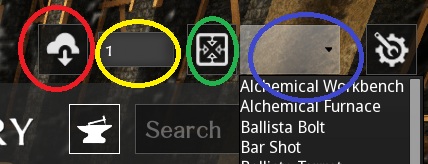
The resource cloud (red circle marker) allows you to transport any amount of resources from one container to another.
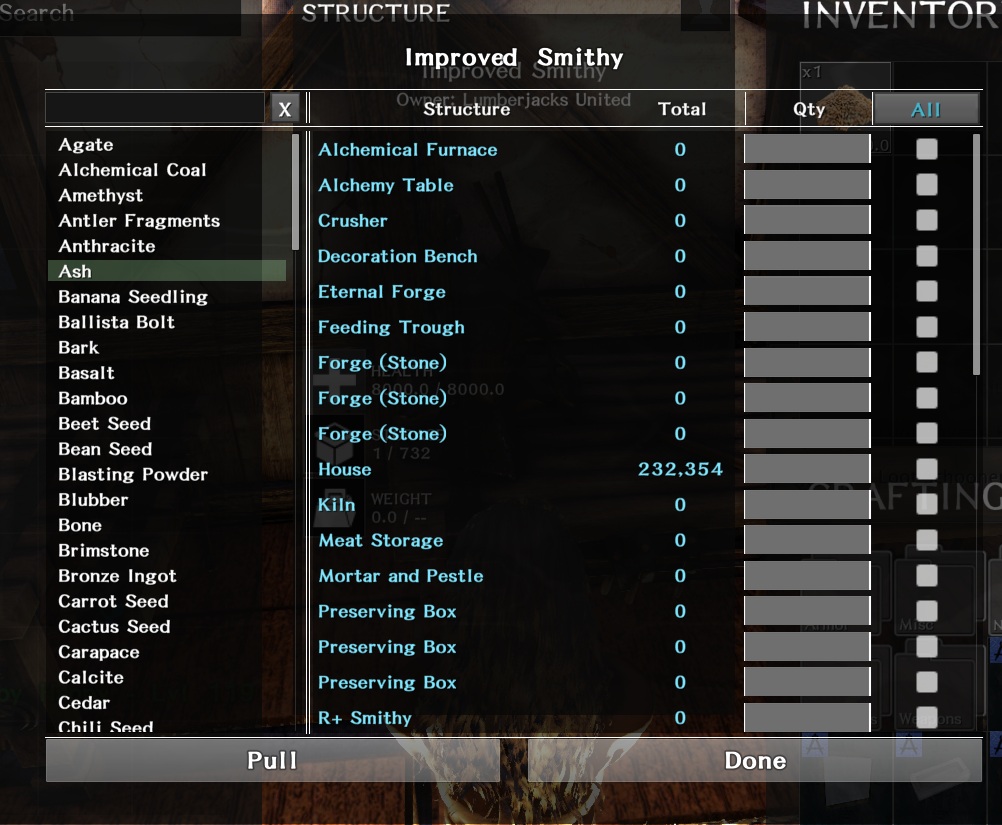
Select a type on the left. You will then see a list of all sources. Enter the number you want to pull and press Pull. Done.
Important: you can only pull ("Pullen"), not push. You must therefore always open the pull menu with the workbench or similar in which you want to have the material.
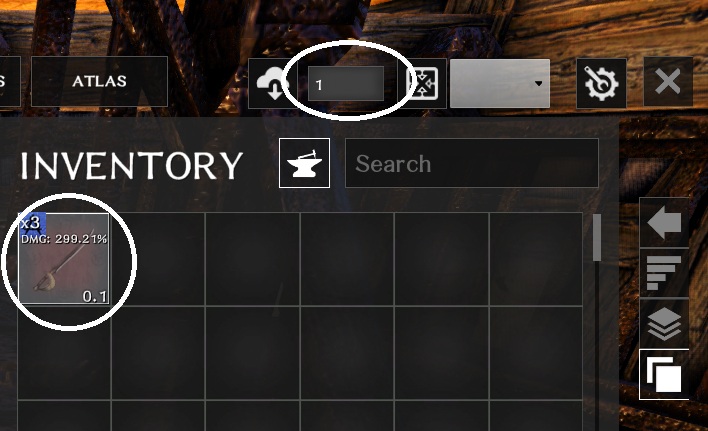
You can use the yellow and green markers to draw the exact amount of material you need when crafting a blueprint. To do this, left-click once on the blueprint (in the inventory, not in the field below!) Then enter the number of crafts you want to make in the number field. Then click on the green marker. Done.
Important: the pull menu always prioritizes by number. It therefore pulls the resource that you have the most of first.
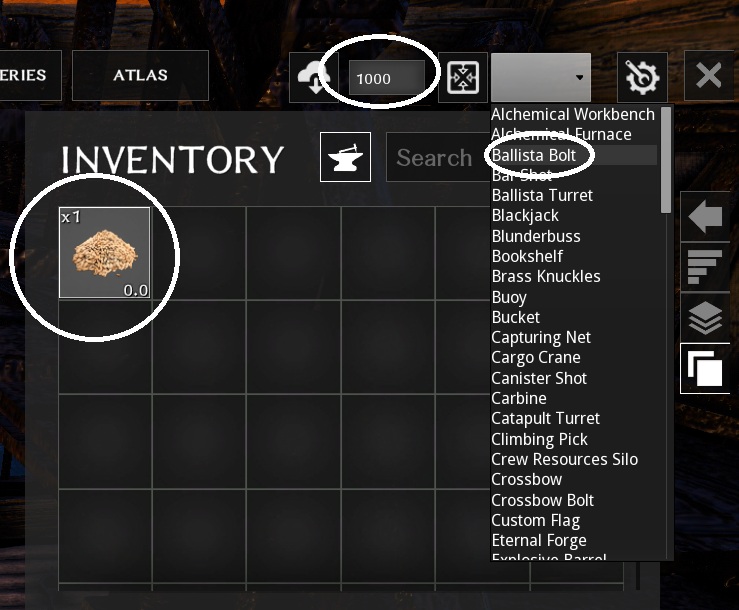
With the last function (blue circle at the top) you can produce bulk goods such as ammunition in the Smithy. To do this, first enter the quantity in the number field (max. 1000), then click on any item in the inventory and select the type of item you want to produce from the drop-down menu. It will then draw the required material.
 English
  German